Unreadable codes, stale batch data, skipped serial numbers and slow changeovers usually come from the workflow around a printer, not the advertised print speed alone. You will be able to size the required capacity, choose between handheld and fixed systems, match ink and marking technology to the substrate, and verify codes before defective product reaches dispatch.
Key takeaways
- Choose handheld printing only when operators can match line speed consistently.
- Set a print-start checklist covering code content, position, substrate and ink.
- Test ink adhesion on the exact packaging material before production.
- Compare cost per accepted code, including waste, downtime and rework.
How much coding capacity does your line actually need?
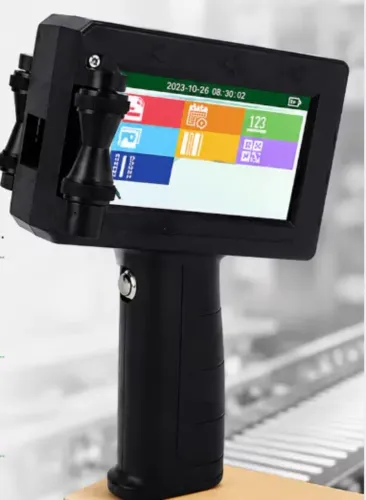
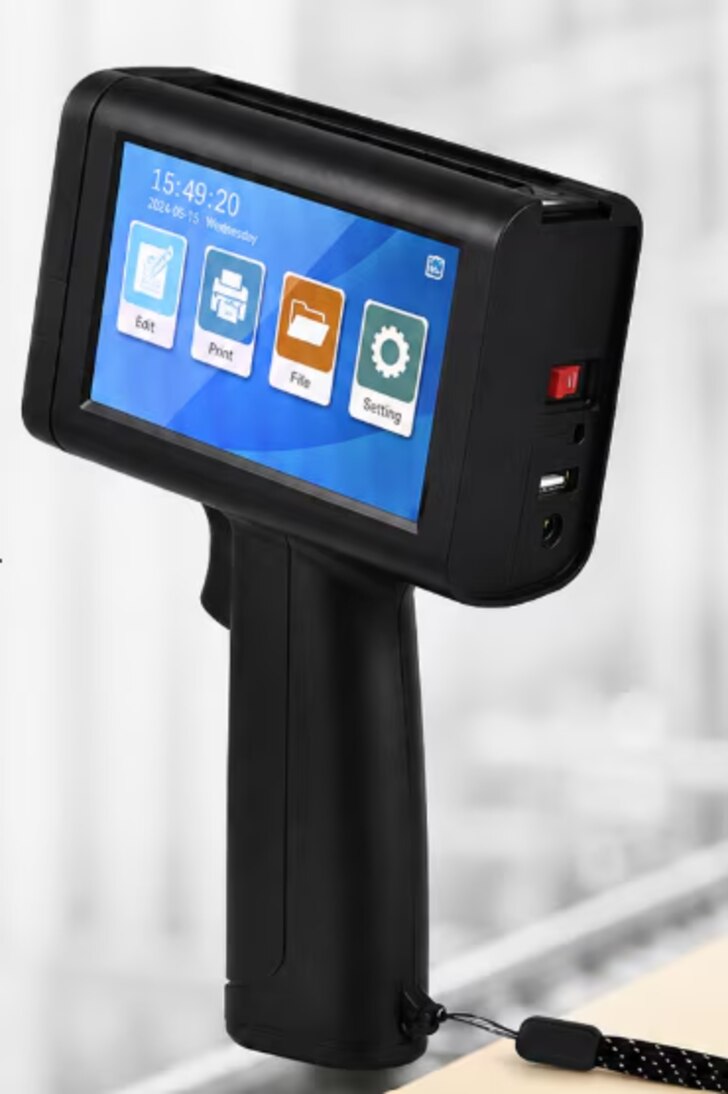
Choose a handheld inkjet printer only when an operator can keep pace without slowing the line, missing products or placing codes inconsistently.
For high-volume product coding, calculate required print events per minute as products per minute × print locations per product, then check whether message length, print height, product spacing and available operator time leave a safety margin.
- Record the sustained line rate, not the advertised conveyor maximum.
- Multiply products per minute by the number of code locations.
- Include characters, barcode dots or 2D-code density; longer messages need more print time.
- Measure the gap between products and the operator’s real handling time.
- Choose fixed printer integration when products pass a repeatable print point, the operator cannot inspect every item, or missed codes create rework or shipment risk.
- Require a photoelectric sensor, encoder or PLC connection when conveyor speed varies.
- Connect the printer to the line controller and inspection or reject system so a missing print-complete signal stops or rejects the product.
- Test the first-off code at the fastest planned rate, including the actual substrate and head distance.
A fixed industrial coding printer suits continuous, non-contact marking on fast-moving or irregular products; CIJ handles these conditions but needs solvent, makeup fluid and nozzle-cleanliness control. Handheld TIJ can deliver sharp codes with quick changeovers, but manual positioning limits repeatability.
Compare total accepted-code cost, not purchase price. Count ink or solvent, cartridges, planned cleaning, startup and changeover waste, rejected products, printhead replacement, ventilation and line-integration downtime. A lower-priced handheld unit becomes expensive when labour and waste rise.
Build a controlled print-start and changeover workflow
A locked recipe, a verified first-off code, and a confirmed data handshake prevent a changeover error from becoming a full production run. Do not release the line until the printer, product sensor, PLC, encoder and inspection or reject system agree on the same product and message.
- Select the approved print template by product code, not by a similar description. Lock the date, lot and serial fields to the production order, then clear the previous recipe from the printer buffer.
- Complete cartridge loading against the work instruction. Check ink type, cartridge identification, expiry date and seating; a mismatched cartridge can produce faint or poorly adhering codes.
- Set message orientation, print height and print direction before touching the conveyor. Confirm the printhead position and standoff with a physical gauge or marked fixture so the head cannot drift toward the product.
- Configure the photoelectric sensor to detect the correct product edge, and use the encoder to match print timing to conveyor travel. Test one product by hand and confirm that the trigger fires once, not twice.
- Run a first-off sample at operating speed. Compare every character, barcode orientation and print position with the approved artwork, then record the result before enabling automatic production.
The PLC should release printing only after the selected recipe matches the line order. If print-complete or verification feedback is missing, stop the line or divert the product; never let a stale message continue through a changeover.
Match the marking method, ink and substrate
The right combination starts with the substrate, not the printer. Porous cartons and paper absorb standard aqueous TIJ ink; plastic film, glass and metal need solvent-based or specialty ink with verified adhesion. Choose for the finished pack, including condensation, oils, plasticizers, cleaning agents and sterilization chemicals.
| Option | Best fit | Ink or marking requirement | Main risk |
|---|---|---|---|
| TIJ | Cartons, paper and selected films needing sharp small text or 1D/2D codes | Aqueous ink for porous stock; solvent-based or specialty ink for non-porous surfaces | The code beads, wipes off or fails to cure when the formulation does not match |
| CIJ | Fast-moving products with irregular surfaces and non-contact printing | Solvent-based ink selected for the substrate and required permanence | Solvent evaporation, makeup-fluid use and a dirty nozzle can reduce uptime |
| Thermal-transfer overprinting TTO | Intermittent coding on flexible film and label webs | Ribbon matched to the film coating and required durability | Wrinkles, poor web tension, incorrect pressure or bad registration distort the code |
| Laser marking | Permanent marks on compatible films, plastics, glass or metal | No ink or ribbon; select wavelength and energy for the material | Excess energy can discolor, melt or damage barrier performance; install extraction, guarding and interlocks |
Approve the combination only after a production-material trial. Check adhesion after drying, rubbing, cleaning, condensation and the actual downstream process; a supplier safety data sheet does not prove print adhesion or regulatory suitability. For TTO, correct web tension and registration before increasing printhead pressure, which can accelerate head and ribbon wear.
Verify every code and stop predictable production errors
Use a barcode verifier, not a handheld scanner, to confirm readability during production. The verifier measures contrast, modulation, defects, decodability and quiet-zone performance against the applicable ISO/IEC grading standard; a scanner can decode a symbol that is already too weak for another scanner or distribution system.
Check the code at startup, after every changeover and at planned intervals:
- Verify the barcode grade and record the result, rather than accepting a simple “decoded” message.
- Inspect the QR code quiet zone on all sides. Text, graphics, seals and package edges must not crowd this required space.
- Test the date rollover batch sequence, including midnight, month-end and a new lot or shift.
- Confirm the code’s position against a fixed package feature, using a camera, gauge or approved sample.
- Link the printer, product sensor, encoder, line controller and reject system so missing print-complete or verification signals stop the line.
| Check | Evidence | Response |
|---|---|---|
| Readable symbol | Passing barcode grade and successful verification | Stop or reject the affected product |
| Correct sequence | Expected date, lot and serial data from the active recipe | Hold product and investigate the data handshake |
| Correct position | Code stays within the defined print window | Adjust guides, standoff or trigger timing |
Run these checks at actual production speed. A printer’s advertised characters-per-second rate proves nothing if conveyor movement, encoder resolution, message length or inspection time causes stretched bars, blurred edges or missed rejects. Keep the first failed sample for traceability.
Compare the cost per accepted code before choosing equipment
Compare coding equipment by total cost divided by accepted codes, not by coding equipment cost alone. Count ink or ribbon, planned cleaning, ink cartridge replacement, printhead maintenance and replacement, startup waste, changeover waste, rejected products, ventilation, and line-integration downtime.
| Option | Direct cost | Hidden cost that changes cost per accepted code |
|---|---|---|
| TIJ | Ink cartridges and printhead use | Cartridge changes, startup prints, and printhead maintenance can create waste |
| CIJ | Ink, solvent, and makeup fluid | Nozzle cleaning, solvent evaporation, viscosity control, and downtime increase operating cost |
| Laser | No ink or ribbon | Extraction, guarding, interlocks, substrate trials, and installation add capital and operating cost |
| TTO or labels | Ribbon or pre-printed stock | Ribbon changes, label waste, registration errors, and discarded misprints affect yield |
Use this calculation: (consumables + maintenance + labour + integration downtime + rejected-product cost + installation overhead) ÷ accepted codes. Measure accepted codes at production speed, after warm-up, through a real product changeover, and after the intended handling or environmental exposure.
Ask Sun Graphics for a trial report that records cartridge or solvent consumption, minutes lost to cleaning, first-off waste, changeover waste, and rejected packs. A lower-priced printer loses its advantage if it needs frequent manual intervention or produces a large batch of unreadable codes.
Include the cost of a stable encoder, product guides, and inspection signals; preventing one bad run can outweigh a small purchase-price saving.
Related products
 | Handheld Inkjet Printer G-10 PRO TIJ Industrial Coding Printer G-10 PRO TIJ Industrial Coding Printer The G-10 PRO is a next-generation Thermal Inkjet (TIJ) coding and marking solution designed for high-speed... View product → |
 | Handheld Inkjet Printer G-35 SMART TIJ Handheld Coding Printer G-35 SMART TIJ Handheld Coding Printer The G-35 SMART is a compact and intelligent Thermal Inkjet (TIJ) printing solution designed for easy,... View product → |
Frequently asked questions
How do you calculate the coding capacity your production line needs?
Measure products per minute, required code locations and operator handling time, then choose equipment that maintains pace without missed or inconsistent marks.
What should a controlled print-start and changeover workflow include?
Confirm the product code, batch details, print position, substrate, ink and sample approval before starting or changing production.
How do you match a coding method and ink to the substrate?
Test the selected ink and marking method on the exact packaging surface, checking adhesion, contrast, drying time and resistance to handling.
How can you prevent predictable product-coding errors?
Use approved code files, verify the first printed sample, inspect code position and legibility, and stop the line when checks fail.
What is the right way to compare coding equipment costs?
Calculate cost per accepted code by including consumables, rejected products, rework, cleaning, maintenance, labour and downtime.
Related products
 | Handheld Inkjet Printer G-11 BODY Handheld Inkjet Printer ₹8000 High Performance Coding Solution The **G-11 BODY Handheld Inkjet Printer** is a powerful and reliable coding solution designed for modern industries... View product → |
 | Handheld Inkjet Printer G-20 ECO TIJ Coding Printer The G-20 ECO is a reliable and cost-effective Thermal Inkjet (TIJ) coding solution designed to deliver high-quality... View product → |
 | Handheld Inkjet Printer G-28 MASTER Handheld Inkjet Printer ₹5600 Advanced Coding & Marking Solution The G-28 MASTER Handheld Inkjet Printer is a powerful and portable printing solution designed for high-quality... View product → |
 | Handheld Inkjet Printer G-05 MINI Handheld Inkjet Printer ₹5100 High Resolution Printing Solution The **G-05 MINI Handheld Inkjet Printer** is a compact and portable coding and marking solution designed for fast,... View product → |