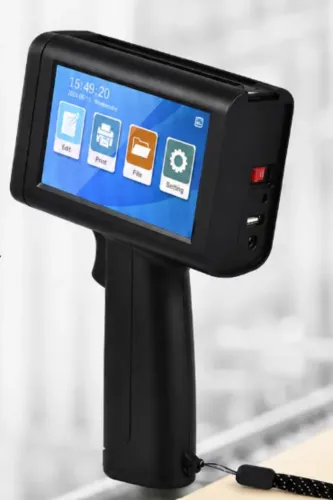
A handheld coder is useful when you need to change dates, lot numbers, serials, or short messages without making a new stamp or label. The right choice depends first on the material and ink, then on print control, operator consistency, drying time, and the number of marks required per shift.
Key takeaways
- Match solvent-based or water-based ink to the substrate and drying time.
- Check print height, resolution, battery runtime and cartridge capacity before buying.
- Test adhesion, contrast, drying and scanability on your actual production material.
- Choose fixed coding equipment when volume, precision or repeatability exceeds handheld limits.
What happens during a handheld coding job?
A handheld coding job starts when the operator creates or imports a message, selects character height and resolution, loads the ink cartridge, and checks the printhead and battery.
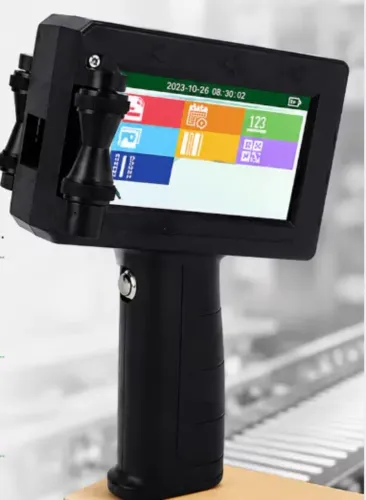
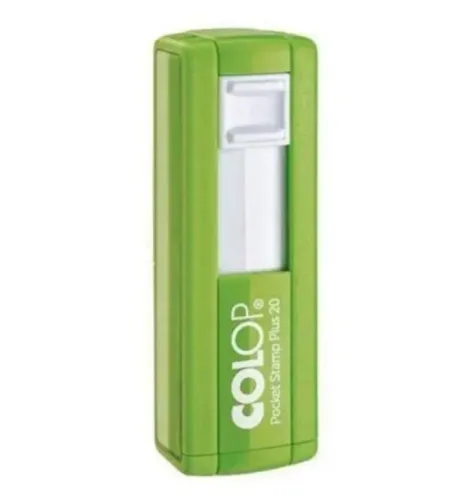
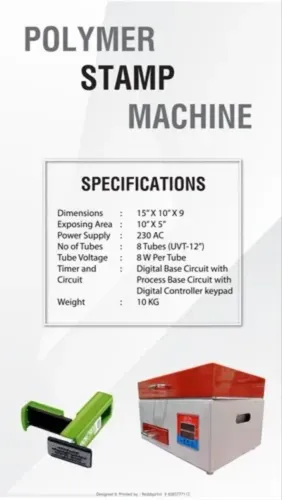
The handheld inkjet printer then produces a temporary or variable mark directly on a carton, bag, label, board, or object; it does not make a reusable rubber, polymer, or metal stamp plate. This is variable data printing from a coding and marking machine, including use as a batch number printer.
The operator places the nozzle at the manufacturer’s specified distance, presses the trigger, and moves the unit across the surface. A clean, straight pass keeps character spacing consistent. A tilted or uneven pass stretches characters and gives barcode bars inconsistent spacing.
Message storage prevents repeated re-entry, automatic date advancement prevents yesterday’s date, password protection blocks unauthorised format changes, and power-loss recovery preserves the approved message after an interruption.
Inspect the finished mark for:
- Character spacing, contrast, missing dots, and smearing
- Barcode readability with the intended scanner
| Capability | Confirm before use | Why it matters |
|---|---|---|
| Fixed text | Supported font and layout | Repeats standard wording |
| Logo | File format and printable matrix | Prevents distorted artwork |
| Date or batch number | Automatic date and batch entry | Reduces manual errors |
| Counter or serial number | Increment rules and reset control | Maintains sequence |
| Imported barcode | Symbologies and scanner performance | Avoids unreadable codes |
When is a handheld printer the right tool?
A handheld coder earns its place when information changes, marks go in several locations, volumes stay low to medium, and products cannot reach a fixed printhead. It also reduces setup time when you need dates, batches, serials, or short text without preparing plates or labels.
| Option | Labour and consistency | Setup and consumables | Integration fit |
|---|---|---|---|
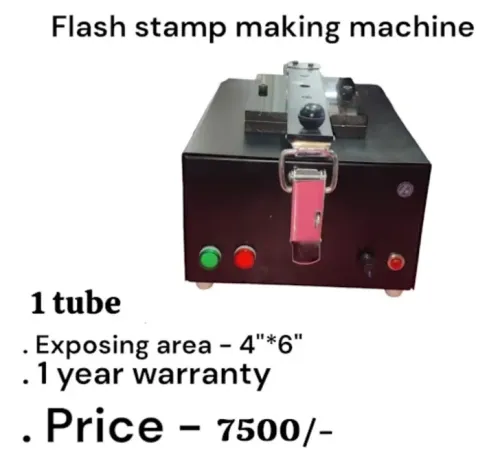
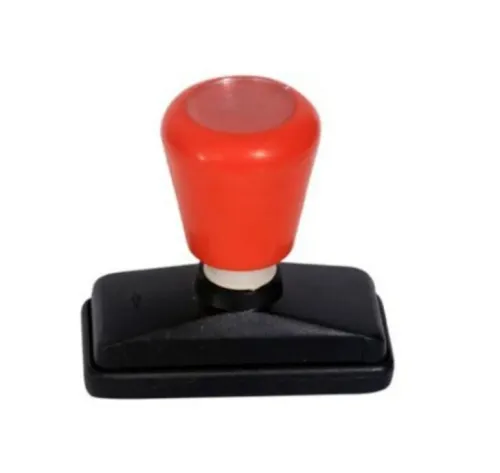
| Rubber stamp | Low equipment cost; manual placement limits registration | Fast setup; ink pad or replacement stamp | Repeated, unchanging wording on absorbent material |
| Pre-printed label | Consistent polished graphics; application adds labour | Artwork and label stock require planning | Long information, graphics, or marks applied away from packing |
| Desktop printer | Consistent sheets and labels; not direct product marking | Requires media handling and setup | Documents, sheets, and labels |
| Continuous inkjet printer | Consistent small characters during long runs | Higher installation and maintenance burden | High-speed production with unattended operation |
| Fixed TIJ printer | Repeatable marks at one position | Fixed mounting and cartridge management | Conveyor-mounted lines with automatic triggering |
| Handheld coder | Flexible placement; operator movement affects spacing | Quick message changes; cartridge and battery management | Variable marking across cartons or products |
The handheld printer vs rubber stamp choice favours the stamp when wording never changes and absorbent stock accepts manual placement. Choose labels for polished artwork or long content; desktop printers are for sheets, documents, and labels, not direct carton marking.
Choose one of the handheld coder alternatives when you need hundreds of identical marks with tight registration, high conveyor speed, large multi-line artwork, curved-object marking, or automatic line integration. These demands expose freehand spacing errors and labour costs. A handheld unit fits changing information, several locations, short runs, and occasional direct marking.
How do ink type and substrate determine the result?
Uncoated paper, corrugated board, and some wood are porous and non-porous substrates that accept ink differently. Water-based ink generally suits absorbent stock because the fibres take in the liquid; coated cartons, plastic film, rigid plastic, glass, painted metal, and finished wood usually need solvent ink or another fast-drying formulation.
| Substrate | Usual ink choice | Main result to check |
|---|---|---|
| Porous paper, board, or unfinished wood | Water-based ink | Absorption, contrast, feathering, and dry time |
| Coated carton or finished wood | Fast-drying or solvent ink | Surface adhesion and rub resistance |
| Plastic, film, glass, or painted metal | Solvent ink | Drying speed, moisture resistance, and adhesion |
A TIJ ink cartridge often combines the ink reservoir and printhead, so replacing it can resolve a blocked or damaged nozzle. Other systems retain the printhead and require cleaning, capping, flushing, or scheduled maintenance. Compare odour, drying time, rub resistance, moisture exposure, and adhesion rather than choosing by colour or resolution alone.
A solvent ink printer brings extra handling requirements. Review the cartridge’s safety data sheet, ventilation needs, flammability classification, storage temperature, and disposal instructions before using it in a packing room or office.
Test the actual setup, including:
- Ink colour, coating, dust level, refrigeration or condensation exposure, oil contact, and the required handling interval.
A sharp mark immediately after printing can fail after rubbing or overnight drying. Check food-contact and chemical-contact restrictions in the ink documentation before production use.
What are the practical limits of handheld printing?
A nominal print height of 12.7 mm or 25.4 mm does not equal usable character height. The cartridge or printhead includes margins and inactive areas, so ask for the maximum printable matrix for your exact number of lines, logo, and font.
- Treat advertised speed as conditional. Higher dots per inch, more lines, longer messages, and slower-drying ink reduce practical throughput; request a figure for the complete message, not a short sample.
- Freehand movement changes spacing and barcode geometry when the operator tilts the unit or varies walking speed. Wheel encoders, guide rollers, or a physical guide improve repeatability.
- Uneven, dusty, porous, curved, or irregular surfaces create gaps, ink spread, and changing printhead distance. Confirm the maximum printhead-to-surface distance and test the actual object.
- Visual barcode appearance is not proof of performance. Use a verifier for linear codes against ISO/IEC 15416 and for two-dimensional symbols against ISO/IEC 15415; barcode verification ISO IEC 15415 is essential where scanning matters.
- Assess ergonomics during a timed trial. Weight, balance, trigger force, screen navigation, and the number of marks per shift determine whether hundreds of impressions are realistic.
- Measure handheld printer battery runtime under the intended message load, in marks, printed metres, or shift hours. Also record cartridge capacity and what happens during idle time, including automatic capping, drying, purging, or cleaning.
These handheld printer limitations make a clean, straight pass on a flat surface far more reliable than marking a dusty curved carton at maximum speed. Print height and resolution alone cannot predict production results.
How should you compare and acceptance-test a model?
Compare the exact model against your message, materials, and shift pattern, then run a printer acceptance test. A useful handheld printer buying guide or variable data printer comparison must measure working output, not catalogue claims.
| Feature | What to compare |
|---|---|
| Character output | Usable height, dots per inch, line count, logo area, and exact-message speed |
| Capacity | Battery runtime in marks or printed metres, cartridge capacity, and onboard message storage |
| Controls | Screen layout, message changes, counters, dates, expiry dates, batch entry, and sequential serial numbers |
| Data handling | Supported file formats, imported barcodes, and QR-code creation or printing |
| Maintenance | Idle time with the cartridge installed, automatic capping, purge, wipe, charging, and cartridge replacement |
Obtain written confirmation for the individual model; do not transfer the G-55’s published features to another unit.
- Print on your actual corrugated board, coated carton, film, plastic, glass, metal, or wood with the intended ink colour and production speed.
- Record dry time, adhesion, contrast, rub resistance, and barcode verification where applicable.
- Time message changes, cartridge replacement, cleaning, charging, and recovery after an intentionally interrupted print.
- Ask what happens when an installed cartridge sits idle and whether opening it shortens shelf life or causes wastage.
Sun Graphics is useful when its demonstration uses your real substrates rather than white showroom paper. Choose the unit that passes those trials, not the one with the highest headline resolution or catalogue speed.
Related products
 | Handheld Inkjet Printer G-11 BODY Handheld Inkjet Printer ₹8000 High Performance Coding Solution The **G-11 BODY Handheld Inkjet Printer** is a powerful and reliable coding solution designed for modern industries... View product → |
 | Handheld Inkjet Printer G-35 SMART TIJ Handheld Coding Printer G-35 SMART TIJ Handheld Coding Printer The G-35 SMART is a compact and intelligent Thermal Inkjet (TIJ) printing solution designed for easy,... View product → |
Frequently asked questions
What happens during a handheld coding job?
The operator creates or imports a message, selects character height and resolution, loads the ink cartridge, then checks the printhead and battery before marking.
When is a handheld printer the right tool?
It suits short runs, changing messages, oversized items and work that cannot pass reliably through a fixed printer.
How do ink type and substrate determine the result?
Ink must suit the surface: porous materials absorb water-based ink, while non-porous materials often need faster-drying solvent-based ink.
What are the practical limits of handheld printing?
Handheld printers have limits in operator speed, alignment, print consistency, battery runtime, cartridge capacity and suitability for high-volume repeat work.
How should you compare and acceptance-test a handheld printer?
Compare print height, resolution, message controls, battery, cartridge capacity and handling, then test adhesion, contrast, drying and scanability on actual materials.
Related product
 | Handheld Inkjet Printer G-10 PRO TIJ Industrial Coding Printer G-10 PRO TIJ Industrial Coding Printer The G-10 PRO is a next-generation Thermal Inkjet (TIJ) coding and marking solution designed for high-speed... View product → |