A handheld coder can print a batch number that looks sharp yet fails when a scanner reads it on a curved bottle, coated pouch or rough carton. You will be able to specify the barcode standard, ink and operating controls you need, then test whether a proposed printer is suitable for your actual line and substrate.
Key takeaways
- Verify structured barcode data, not only imported barcode images.
- Test ink adhesion on the exact substrate and packaging surface.
- Match print height, speed and operator motion before buying.
- Demand a live production trial with finished-product scan results.
Can the printer produce a compliant barcode, not just a barcode-shaped image?
A printer produces a compliant barcode only if it encodes the required data, preserves the symbol’s specification and passes verification on the finished product. Confirm whether it accepts structured barcode data or only imports a bitmap; an image can look correct while containing the wrong identifier.
| Symbology | What to confirm |
|---|---|
| GS1-128 | GS1 application identifiers, encoded data and required human-readable text |
| Code 128 | Data content, start and check characters, human-readable text |
| EAN-13 | Thirteen-digit input, guard bars and retail scanner compatibility |
| Data Matrix | Data encoding, module size and Data Matrix barcode printer support |
| QR Code | Data capacity, error-correction setting and quiet zone |
Ask the supplier to demonstrate each required symbol using your real data. Check the application identifiers, human-readable lot or date text and quiet zones, which are part of the symbol rather than optional blank space.
A 12.7 mm or 25.4 mm graphic area proves nothing about usable barcode magnification. Test the smallest module size, contrast, edge quality and scan distance on cardboard, plastic film, metal and curved containers at the intended orientation and lighting.
Use the fixed scanner, retail scanner or verifier that will read the mark; a phone camera is not acceptance evidence. For formal testing, apply ISO/IEC 15416 to many linear symbols and ISO/IEC 15415 to two-dimensional symbols. Check decodability, modulation, defects, edge determination, magnification and quiet zones.
A readable batch code and a compliant GS1 symbol remain separate acceptance requirements.
Which ink and substrate combination will survive production handling?
Choose the cartridge chemistry by substrate and failure risk, not by print sharpness. Water-based ink suits absorbent paper and corrugated board because fibres take in the ink; solvent ink suits many non-porous surfaces, while fast-drying MEK ink is used for demanding plastics, polypropylene film, glass and metal.
| Ink type | Best starting surface | Main failure or control |
|---|---|---|
| Water-based ink | Paper, uncoated labels, corrugated board | Bleeding, slow drying, moisture sensitivity |
| Solvent ink | Plastics, coated labels, film, glass, metal | Poor adhesion, vapour control and ventilation |
| MEK ink | Difficult non-porous surfaces | Strong SDS, storage and handling requirements |
| Pigment ink | Surfaces needing stronger colour or light resistance | Confirm pigment ink compatibility with the printhead and cleaning fluid |
Request supported ink colours, pigment content, cartridge shelf life and the exact cleaning-fluid specification. Solvent and MEK options also require suitable ventilation, storage controls and access to the safety data sheet.
Run the trial on the production material, not office paper. After a defined dwell time, test:
- Rubbing and scratching
- Condensation, oil and freezer storage
- Heat and sunlight exposure
- Contact with the inside of the package
A code can scan immediately while its adhesion remains poor. Record the time before each carton, pouch, bottle or metal part is stacked, conveyed or packed, and note dust, moisture, coating and surface energy.
For every cartridge change, specify the purge, cap or park procedure, maximum idle time and blocked-nozzle recovery method. Changing cartridges changes ink chemistry and nozzle condition; uncapped idle time can turn a usable printhead into a replacement cost.
Will the print area and handheld motion produce a usable mark?
Advertised print height does not prove a usable mark. Specify the actual output for your chosen font and module size before comparing models.
- Minimum and maximum print height
- Print width
- Character height
- Number of lines
- Maximum text length
- Usable barcode height
Confirm that a two-line batch code, expiry date and lot number fit without crowding the barcode’s quiet zone. Text or a logo placed inside that blank margin can make a clean-looking symbol fail scanning.
Handheld output changes with travel speed, head angle and surface distance. Uneven speed stretches or compresses characters; rocking moves dots; tilt and changing standoff distort bars and modules. Ask whether the unit includes a roller, guide, encoder or fixture when repeatable placement matters.
| Surface | Main risk | Acceptance test |
|---|---|---|
| Flat carton | Speed variation and absorbency alter edges | Print at the permitted speed and verify the symbol |
| Flexible film | Film movement and slow drying smear marks | Print, flex, rub and scan after the stated dwell time |
| Cylindrical bottle | Changing distance curves bars and characters | Test across the bottle’s full circumference |
| Irregular metal part | Tilt and standoff vary across the mark | Scan at the nearest and farthest printed points |
Record the minimum scan distance and the operator’s permitted speed range. High DPI alone proves neither readability, drying time nor handling resistance. At high throughput, compare operator scanning speed, cartridge consumption, drying time and message-selection time with an inline coder.
How are messages, dates and variable data controlled during a shift?
A manually typed date is a production-control risk even when the characters look perfect. Map the operator’s path from cartridge loading to a verified print, then test every automatic rule.
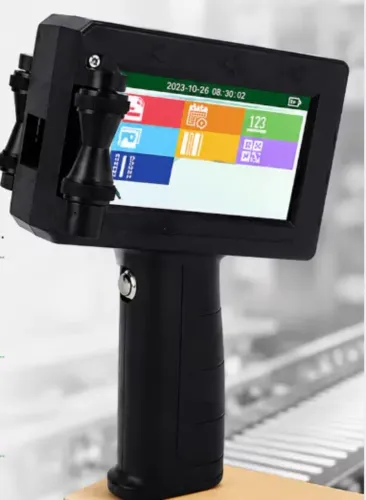
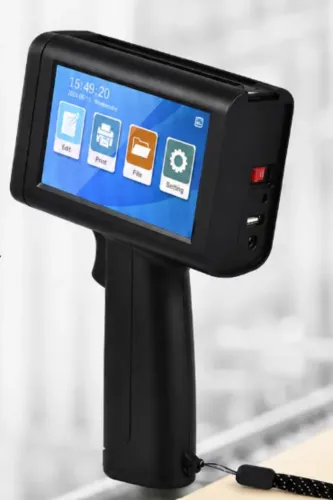
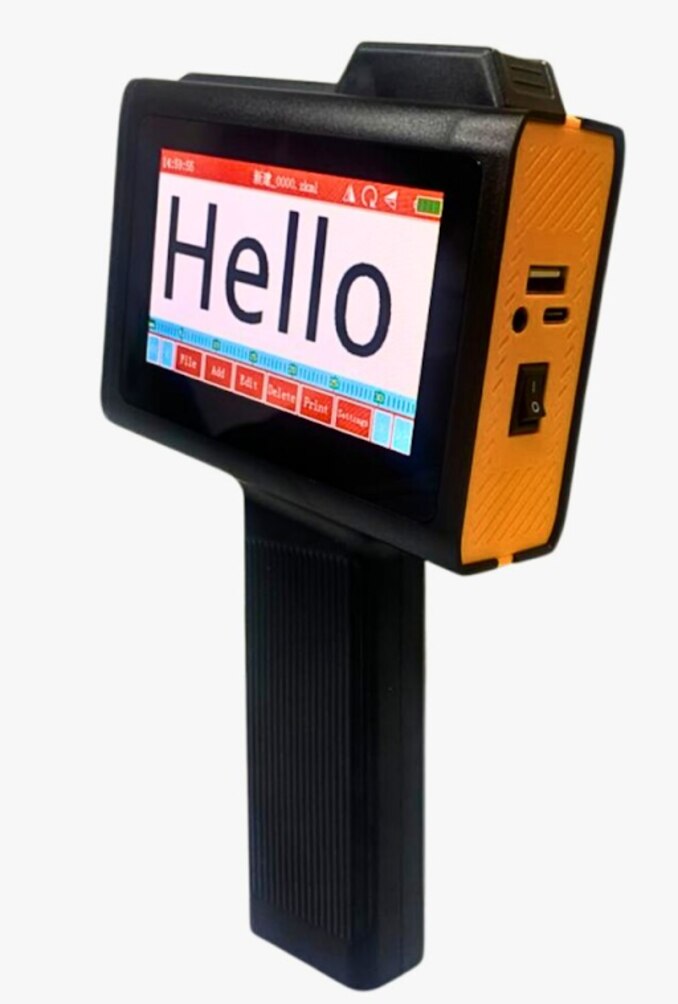
1. Load the specified cartridge, confirm ink identity and nozzle status, and select the message through the touchscreen or onboard editor. Record whether messages arrive by phone, USB connection, computer software or network transfer.
2. Require an editor that stores text, logos, barcode selection, variable fields, date coding, expiry-date calculation and sequential serial numbers. The operator must change fields without redrawing artwork or retyping each message.
3. Test variable data printing across midnight, 28-, 29-, 30- and 31-day months, leap years and time zones. Confirm timestamps, shelf-life rules, lot increments and sequence resets at the correct job change.
4. Prevent selection errors with role permissions, revision-controlled messages, barcode-driven job selection or a confirmation screen showing the product, date, lot and serial range. The preview must show both encoded data and human-readable text.
5. Print a sample, scan the barcode, and compare the result with the approved message. Keep an approval record containing product code, message ID and revision, encoded data, date rule, approver, approval time and source file.
After power loss, cartridge replacement or a failed print, define whether the printer restores the last job, locks output or requires reapproval. Require a purge or nozzle check before production resumes, with the recovery action logged.
What should you demand in a handheld printer trial and quotation?
Demand a documented production trial and an itemised quotation, not a generic resolution claim. Give the supplier your substrate samples, message layout, barcode standard, module size, scan distance, line speed, handling time and durability tests.
Request samples using the proposed ink and cartridge, then run your own barcode verification test with the production scanner or a calibrated verifier.
Your trial checklist should include:
- Print-and-rub tests after the stated drying time, plus checks after stacking, conveying, oil contact, condensation, heat, sunlight or freezer storage.
- Cartridge yield measured as usable impressions or millilitres for your exact message, including solid logos or 2D symbols.
- A quotation stating cartridge type, supported ink colours, drying conditions, replacement and cleaning procedures, warranty scope and operator training.
Calculate total cost from ink, purging waste, failed marks, message-change labour and downtime, not equipment price alone. Sun Graphics is relevant only if it arranges this production trial on your material across the required coding-and-marking range in Delhi NCR.
Handheld inkjet printer buying guide decisions also depend on throughput:
| Option | Best fit | Main limit |
|---|---|---|
| Handheld | Intermittent, controlled marking | Operator speed, drying and message selection |
| Guided or inline | High-speed, repeatable production | Higher setup and integration cost |
Choose the handheld unit only when its operator and cartridge limits fit the process; otherwise, use guidance, encoding or automatic verification.
Related products
 | Handheld Inkjet Printer G-11 BODY Handheld Inkjet Printer ₹8000 High Performance Coding Solution The **G-11 BODY Handheld Inkjet Printer** is a powerful and reliable coding solution designed for modern industries... View product → |
 | Handheld Inkjet Printer G-28 MASTER Handheld Inkjet Printer ₹5600 Advanced Coding & Marking Solution The G-28 MASTER Handheld Inkjet Printer is a powerful and portable printing solution designed for high-quality... View product → |
Frequently asked questions
Can a handheld inkjet printer produce a compliant barcode?
Yes, if it accepts the required structured data, preserves the barcode specification and produces a mark that passes verification on the finished product. An imported bitmap can look correct while encoding the wrong identifier.
Which ink and substrate combination will survive production handling?
Test the exact ink on the finished substrate, including coated cartons, plastic film, metal and other surfaces used in production. Check adhesion, drying time, smearing and resistance to handling before approval.
How do print area and handheld motion affect mark quality?
The print height, surface shape, operator speed and distance from the product determine whether text and barcodes remain readable. Test the printer at normal production speed and on the actual marking surface.
What should you demand in a handheld printer trial and quotation?
Request a live trial using your messages, dates, variable data, substrates and normal handling conditions. The quotation should identify the printer, ink, print specifications, controls, accessories, support and trial results.
Related products
 | Handheld Inkjet Printer G-10 PRO TIJ Industrial Coding Printer G-10 PRO TIJ Industrial Coding Printer The G-10 PRO is a next-generation Thermal Inkjet (TIJ) coding and marking solution designed for high-speed... View product → |
 | Handheld Inkjet Printer G-35 SMART TIJ Handheld Coding Printer G-35 SMART TIJ Handheld Coding Printer The G-35 SMART is a compact and intelligent Thermal Inkjet (TIJ) printing solution designed for easy,... View product → |
 | Handheld Inkjet Printer G-05 MINI Handheld Inkjet Printer ₹5100 High Resolution Printing Solution The **G-05 MINI Handheld Inkjet Printer** is a compact and portable coding and marking solution designed for fast,... View product → |
 | G-55 Handheld Inkjet Printer ₹5000 G-55 Handheld Inkjet Printer The G-55 Handheld Inkjet Printer is a compact and portable coding solution designed for printing text, dates, batch... View product → |