A printer beside a conveyor is not automatically an online coding system: reliable production depends on product detection, conveyor-speed tracking, controlled batch data and verification after printing. You will be able to specify the required setup, compare coding technologies and test whether a machine can mark your actual packs without creating wrong-code, missed-code or unreadable-code failures.
Key takeaways
- Mount the printer in the conveyor flow with a sensor and encoder.
- Match ink, resolution and print speed to the pack material and line rate.
- Verify every code using samples, settings, and rejected-pack checks.
- Choose TIJ, CIJ, TTO, laser, or labels based on the pack and application.
What makes a batch coder genuinely online?
A genuinely online batch coding machine is built into the product flow, not carried beside it. Look for a conveyor-mounted printer with a fixed printhead bracket, a photocell or product sensor, an encoder connection, and inputs or outputs for the line controller.
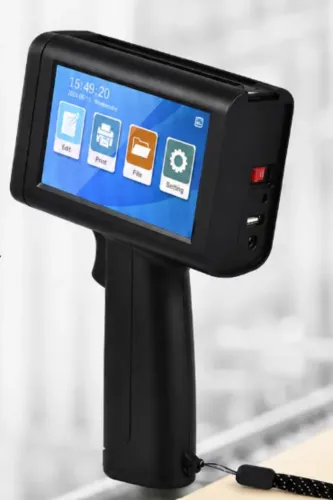
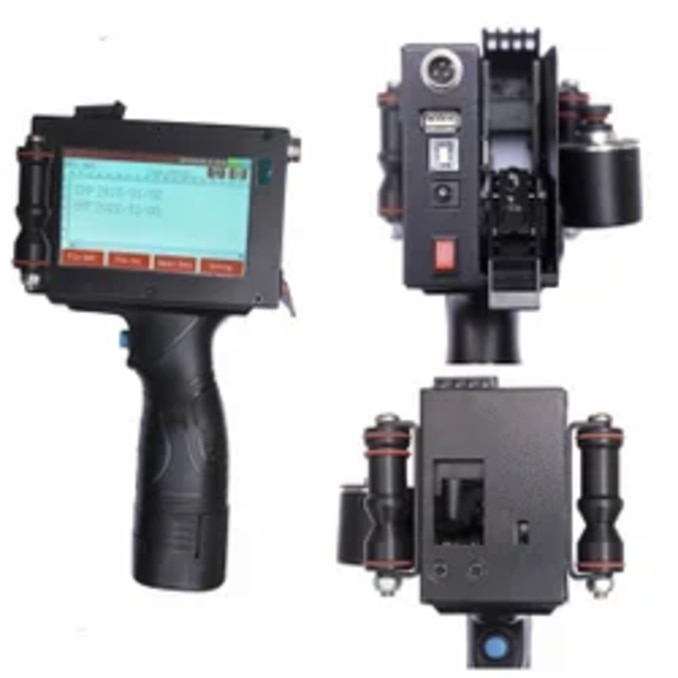
A handheld unit has none of these controls; an operator positions each pack and starts each print manually.
Check the installation specification for these signs:
- The photocell detects each product and starts printing at the correct moment.
- The encoder measures conveyor movement, so print position stays stable when speed changes; a fixed timer alone will drift.
- Encoder signalers, product-spacing settings, and adjustable sensor placement handle different pack pitches and gaps.
- The printer accepts a trigger from the conveyor, packaging machine, PLC or HMI and can send a print-complete or fault signal back.
- Recipes can receive the batch number, manufacturing date and expiry date from an approved production order, weighing system or database instead of manual typing.
- The system records operator changes and restricts recipe selection, preventing an obsolete batch from being printed after changeover.
For pouches and printed webs, demand eye-mark support, encoder feedback, automatic print-position correction, and a stated registration tolerance. Sensor placement, web stretch, poor eye marks and film slippage can move the code even when the printer itself works.
Finally, compare guaranteed throughput—not the headline print speed—at your character height, line acceleration, code length and product spacing.
How the printer receives products, data and production orders
Use a photocell or other conveyor trigger to tell the coder that a product has arrived. Add an encoder to track conveyor movement and preserve print position when speed changes; a fixed timer will drift as product pitch or belt speed changes.
Connect each system for a defined job:
- PLC integration: send run, stop, fault and product-present signals, then return print-ready or reject-status signals.
- Packaging machine: exchange the current recipe and confirm that the coder matches the machine’s product format before release.
- HMI: let authorised users select approved recipes while hiding editing functions from ordinary operators.
- Weighing system: pass the measured value only when the product and recipe require variable-weight coding.
- Production database importers: load the scheduled order, batch, manufacturing date and expiry date without retyping them at the line.
Prevent selection of an obsolete batch by requiring recipe permissions, locking date and time settings, and recording every selection, edit and print event in an audit trail. The PLC should block production until the coder confirms the approved recipe, and the system should reject or stop a product when the recipe changes unexpectedly.
Inspect printed codes downstream rather than trusting the printer’s “running” status. A vision verifier can check decoding, contrast, quiet zones and defects under ISO/IEC 15416 for linear symbols or ISO/IEC 15415 for two-dimensional symbols, while a reject confirmation proves that a failed pack left the line.
Choosing print performance for the pack and the line
Readable coding depends on the match between the substrate, code geometry and moving line—not the headline print speed. Check print resolution, print height, nozzle or ribbon performance, printhead-to-product distance and the actual spacing between packs. A quoted speed falls when the code gains a second line, a barcode, small characters or complex graphics.
| Substrate | Performance specification | Failure to prevent |
|---|---|---|
| Rigid, curved container | Confirm stand-off distance, ink adhesion, print resolution and encoder tracking | A fixed timer causes drifting position as conveyor speed changes |
| Flexible film or pouch | Check ribbon or ink compatibility, web tension, eye-mark registration and automatic print-position correction | Stretch, slippage or poor eye marks produce codes between pouches |
| Dusty, wet or chilled pack | Test drying time, condensation tolerance, rub resistance and cleaning interval | A code that passes in the laboratory smears during packing or storage |
Ask for the maximum characters per lineer? Clarify this wording as “maximum characters per line,” then calculate it at your required print height and line speed. The machine must also state registration tolerance, trigger response, encoder resolution and the permitted printhead distance. Conveyor acceleration and reject-confirmation time reduce usable throughput.
- Run an acceptance test on your film, carton, bottle or pouch at production speed.
- Include difficult conditions: condensation, dust, curvature, hot-fill exposure, downstream rubbing and the normal cleaning routine.
- Set a documented reject criterion for contrast, barcode readability, adhesion, position and missing prints before installation.
A controlled workflow from cartridge loading to code verification
Load the approved batch template, not a free-typed message, and lock recipe selection to authorised users. The workflow should reject obsolete recipes, record every change in an event log, and use a controlled date and time. This prevents changeover mistakes that a healthy print engine cannot detect.
- Confirm the production order, batch, expiry date and product code on the HMI before starting. If serialisation is required, enable unique-number generation and block reuse of numbers already recorded.
- Inspect the cartridge seal, ink type, expiry date and nozzle face. Perform cartridge replacement with the printer stopped or in its approved changeover mode; wipe the nozzle with the specified lint-free material, never a sharp tool.
- Run a sample print on the actual pack at production speed. Check character height, position, contrast, adhesion and the barcode quiet zone before releasing the line.
- Confirm the photocell trigger, encoder scaling and product spacing. A missed trigger creates a missing code; double triggering can print two codes on one pack.
- Scan several live codes with a barcode verificationer? Check decoding, contrast, modulation, defects and quiet-zone performance against ISO/IEC 15416 for linear symbols or ISO/IEC 15415 for two-dimensional symbols.
- At each changeover, reconcile the first and last serial numbers, inspect the nozzle and sample prints, and sign the inspection record. Schedule cleaning before visible streaks become unreadable codes.
A failed verification stops production rather than prompting a manual reprint. Retain the recipe, event log, sample print and verification results with the batch record.
When to choose TIJ, CIJ, TTO, laser or labels
TIJ suits short-to-medium runs needing sharp text or 2D codes on cartons and suitable films. CIJ wins the continuous inkjet comparison when one online printer must handle mixed plastics, glass, metal, cartons and films at speed; budget for solvent, makeup fluid and printhead cleaning.
| Option | Best fit | Main trade-off |
|---|---|---|
| TIJ | Porous cartons, treated films, small text and 2D codes | Ink adhesion depends on surface energy; cartridges add cost |
| CIJ | High-volume, mixed-material production | Solvent management, viscosity control and cleaning |
| TTO | Flexible film and pouches | Ribbon use, web tension and registration control |
| Laser | Permanent marks where ink or ribbon is unacceptable | Extraction, guarding and substrate trials; barrier damage is possible |
| Labels | Variable information on unsuitable surfaces or frequent artwork changes | Stock, applicator, adhesive and waste costs |
Thermal-transfer overprinting is not a universal substitute for CIJ on rigid or irregular packs. Laser marking needs a contrast and heat trial. For pre-printed labels and labels? Ask whether a printed code, an applied variable label or direct marking gives the lower total cost after consumables, rejects, maintenance and changeover time.
Before installation, demand a production-speed test using your actual packaging, ink or ribbon, code, conveyor and worst-case batch change. Obtain adhesion and readability results, data-interface details, automatic date rollover logic, training and spare-parts terms. For food or pharmaceutical packs, request intended-use and migration documentation; “food safe” alone proves nothing.
Sun Graphics should also confirm photocell, encoder, PLC and database integration before quoting the machine.
Related products
 | Handheld Inkjet Printer G-20 ECO TIJ Coding Printer The G-20 ECO is a reliable and cost-effective Thermal Inkjet (TIJ) coding solution designed to deliver high-quality... View product → |
 | Handheld Inkjet Printer G-10 PRO TIJ Industrial Coding Printer G-10 PRO TIJ Industrial Coding Printer The G-10 PRO is a next-generation Thermal Inkjet (TIJ) coding and marking solution designed for high-speed... View product → |
Frequently asked questions
What makes a batch coding machine genuinely online?
An online machine is integrated into the product flow with a fixed printhead bracket, product sensor, encoder connection, and line-controller inputs or outputs.
How does an online coder receive products, data, and production orders?
The conveyor presents products to the printhead, a sensor triggers printing, an encoder tracks line movement, and the controller or operator supplies the production data and order.
How do you choose print performance for the pack and line?
Match print technology, ink or ribbon, resolution, drying time, print height, and operating speed to the pack surface and conveyor rate.
How do you verify codes after loading a cartridge?
Load and secure the consumable, enter the approved message, test on the actual pack, confirm position and legibility, and inspect production samples for errors.
When should you choose TIJ, CIJ, TTO, laser, or labels?
Choose TIJ for crisp small codes on suitable surfaces, CIJ for fast non-contact printing, TTO for flexible films, laser for permanent marks, and labels when applied identification suits the process.
Related products
 | Handheld Inkjet Printer G-11 BODY Handheld Inkjet Printer ₹8000 High Performance Coding Solution The **G-11 BODY Handheld Inkjet Printer** is a powerful and reliable coding solution designed for modern industries... View product → |
 | Handheld Inkjet Printer G-35 SMART TIJ Handheld Coding Printer G-35 SMART TIJ Handheld Coding Printer The G-35 SMART is a compact and intelligent Thermal Inkjet (TIJ) printing solution designed for easy,... View product → |
 | Handheld Inkjet Printer G-28 MASTER Handheld Inkjet Printer ₹5600 Advanced Coding & Marking Solution The G-28 MASTER Handheld Inkjet Printer is a powerful and portable printing solution designed for high-quality... View product → |
 | G-55 Handheld Inkjet Printer ₹5000 G-55 Handheld Inkjet Printer The G-55 Handheld Inkjet Printer is a compact and portable coding solution designed for printing text, dates, batch... View product → |